Embers of Dragonforge Update Notes
Tuesday, July 14, 2026
Embers of Dragonforge has arrived, and the fires are burning hot.
Adventurers can now push their weapons further through 2 new Warforged Tiers, further empower their Legendary Rings, personalize their characters with Auras, and exchange currencies more quickly through the completely redesigned Currency Exchange.
Embers of Dragonforge also introduces Legacy-scaled Experience for Open World Gathering, several Warforged Skill Revamps, highly requested inventory protections, expanded item stack sizes, a new Hadarak Monolith, and much more!
Many of these changes were shaped directly by community feedback (represented by 🤝), continuing our focus on creating deeper long-term progression while making the everyday RavenQuest experience smoother and more rewarding.
If you have thoughts about this update or ideas for future improvements, send them to the Discord Feedback Channel . Our team regularly reads player feedback, and many of the changes you see in the game start right there!
Now, let’s dive into Embers of Dragonforge!
A new server-wide blessing has arrived in RavenQuest.
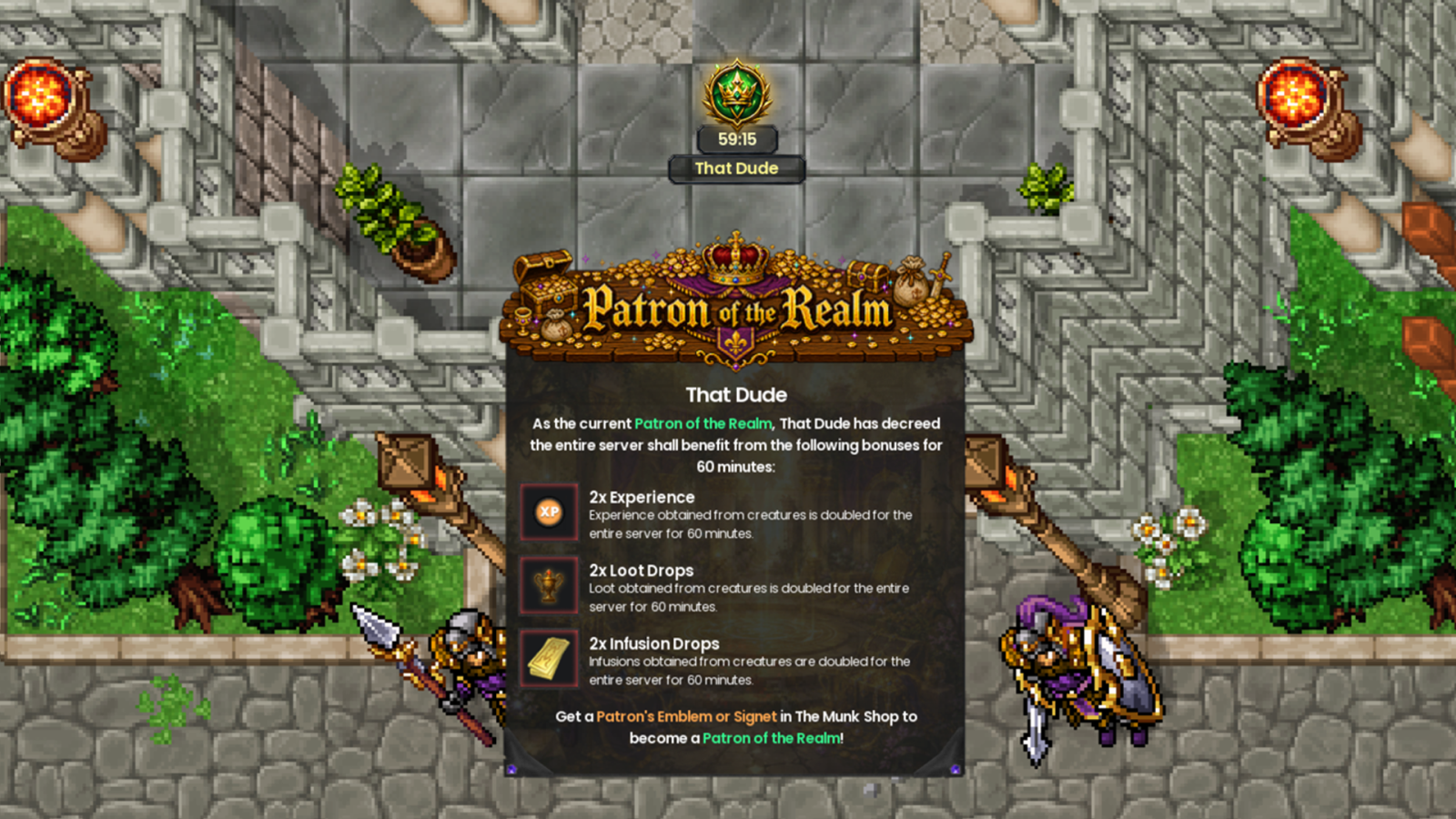
When a Patron of the Realm activates their blessing, every Adventurer on the server receives the following bonuses for a limited time:
• 2x Experience
• 2x Loot Drops
• 2x Infusion Drops
Rather than providing a private bonus to a single player, the Patron’s blessing empowers the entire realm, creating a shared event that every Adventurer can partake in.
The blessing can be activated using a Patron’s Emblem or Patron’s Signet, available as special bonus items within selected Lucky Coin bundles in The Munk Shop .
While the blessing remains active, the Adventurer who activated it will be recognized as the current Patron of the Realm, with their name displayed across the server in recognition of their contribution to the community.
Together, the realm grows stronger. Who will become its first Patron? 👑
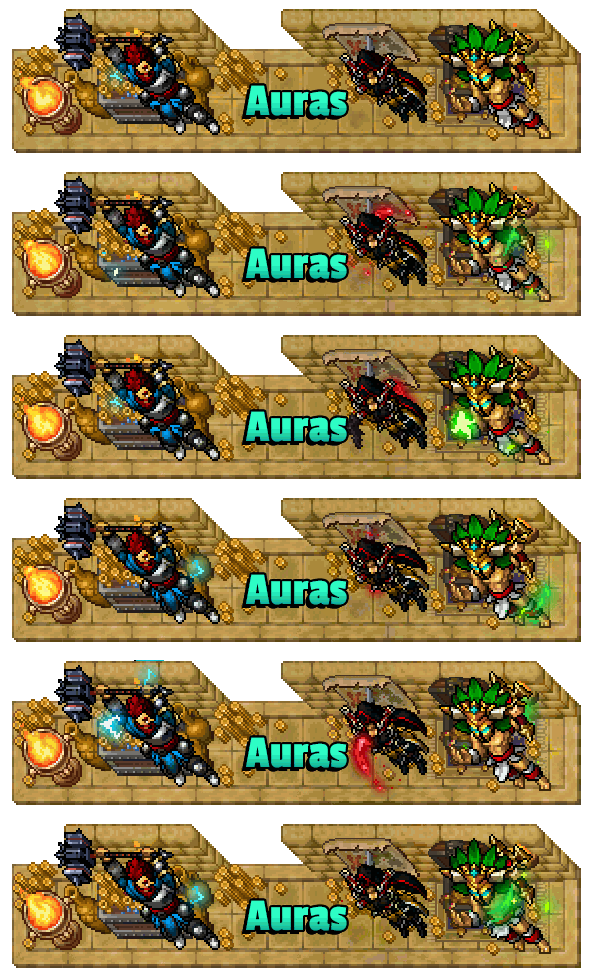
[🤝] Auras have arrived in RavenQuest, introducing a brand-new layer of character customization.
The new Aura system allows you to equip your character with persistent visual effects, helping you stand out more than ever and express your own unique style. Auras can be equipped and managed directly through the Character Customization interface, just like your other character cosmetics. As with Weapon Shines, a single Aura can be applied across all of your Outfits, rather than being tied to only one appearance.
Auras are designed to be a premium, highly visible form of character customization. To help them remain distinctive and a true standout feature when seen in the world, each Aura is obtained for 200 Lucky Coins directly through the Character Customization interface.
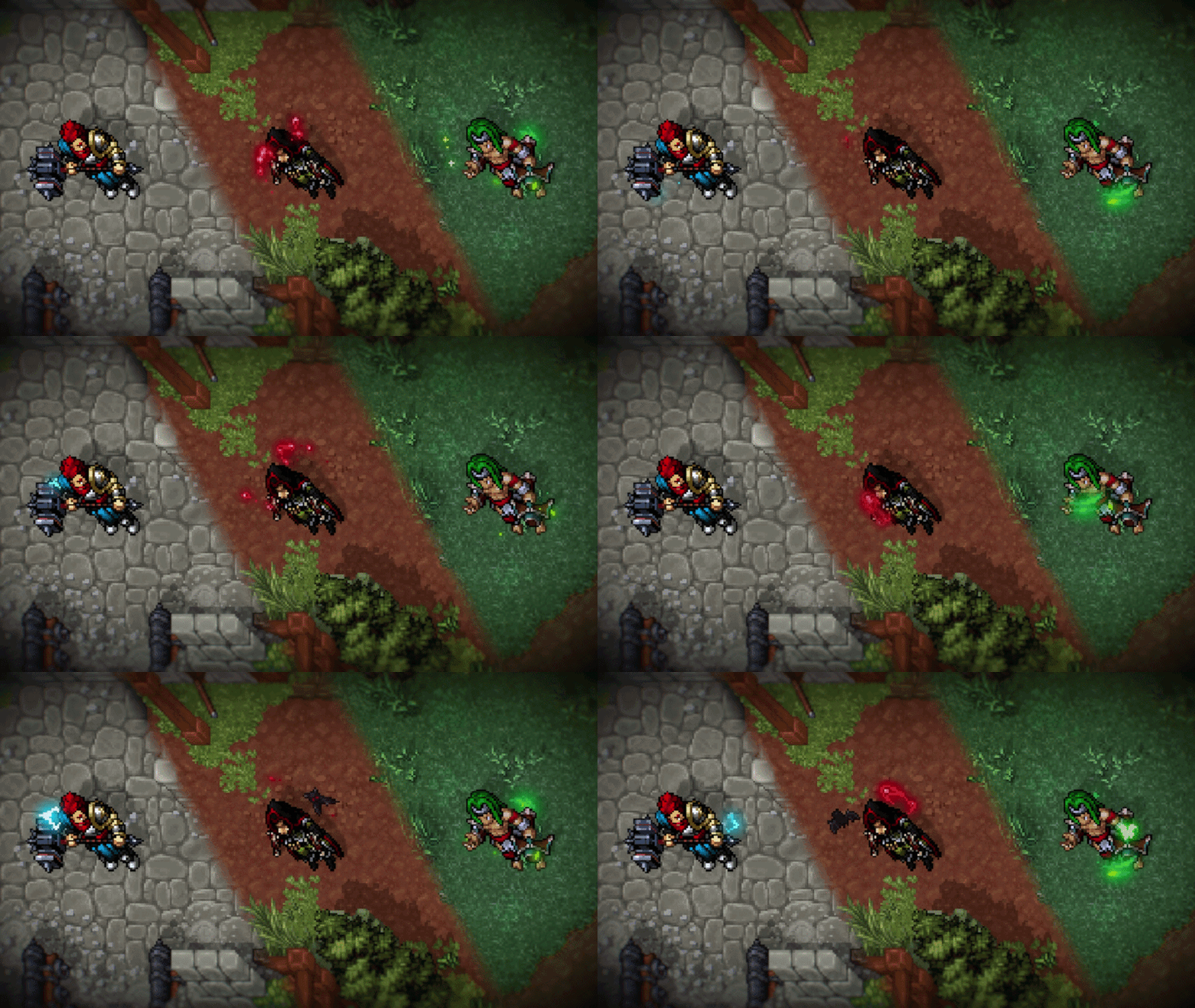
Whether you want to command the storm, embrace the bloodlust of the night, or become one with nature’s winds, your journey to a more personalized Adventurer starts now! ✨
The Currency Exchange has been completely revamped!
Since its introduction, we knew the original Currency Exchange design was something we wanted to revamp, to evolve it into something simpler, faster, and easier to understand for new Adventurers. While it fulfilled its purpose, creating listings and waiting for other players to fulfill them often made the experience more complicated than it needed to be.
With Update 1.3.1, we've taken that next step by replacing the old player listing system with a new instant liquidity-based exchange. Instead of creating listings and waiting for another player to accept your offer, exchanges now happen instantly through a shared liquidity pool that automatically adjusts prices based on supply and demand.
The entire system has also been integrated directly into the Marketplace, where players can now exchange both $QUEST ↔ Silver and Lucky Coins ↔ Silver through dedicated exchange tabs, providing a unified, simple, and intuitive trading experience.
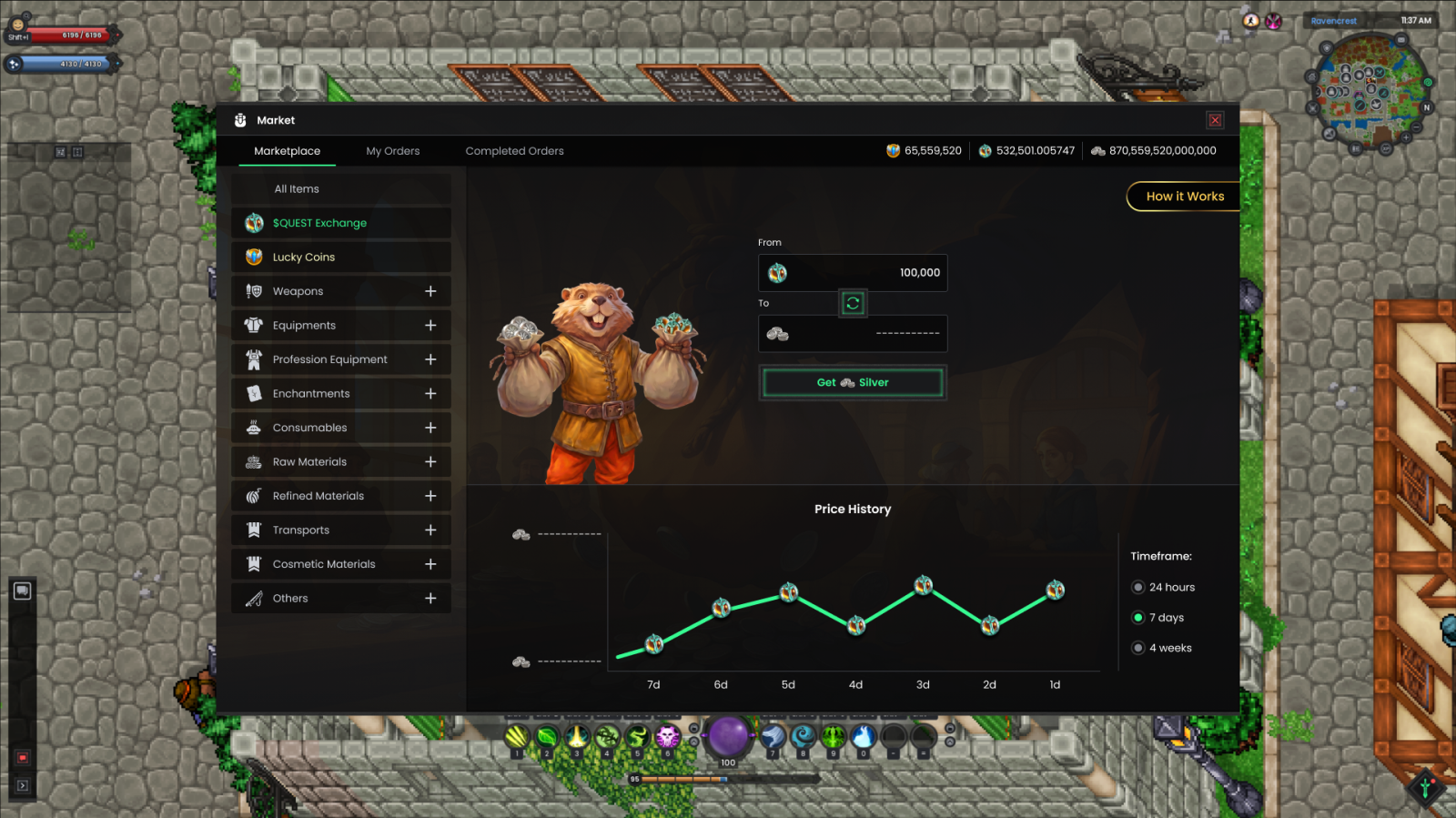
How it Works
At the heart of the new system is a shared liquidity pool. Instead of matching buyers and sellers through listings, every exchange is completed directly against the pool, allowing transactions to happen instantly without waiting for another player to accept your offer.
Each pool contains reserves of its respective currencies ($QUEST and Silver, or Lucky Coins and Silver), and the exchange rate is determined automatically by the current balance between them. As players buy and sell currencies, the pool continuously adjusts, causing prices to naturally fluctuate based on market activity. This system does not set a permanently fixed exchange rate. The prices of $QUEST, Silver, and Lucky Coins will automatically move naturally as players exchange currencies and the balance of each liquidity pool changes.
When creating an exchange, simply enter the amount of one currency you wish to trade, and the Marketplace will automatically calculate the corresponding amount of the other using the latest available rate. The quoted value already includes the 3% exchange fee (with all currency from the exchange fee being burned from the game supply) as well as any price impact caused by the size of your exchange, so you will always know approximately what to expect before confirming.
Since the market is constantly evolving, the system performs one final validation before completing the transaction. Small fluctuations in the exchange rate are considered normal and may result in a slightly different final amount than originally quoted. However, if the market has moved significantly during that time, the transaction will be canceled automatically and you will be asked to review a new quote before proceeding.
Existing orders from the old Currency Exchange will be canceled or refunded.
By bringing both exchanges under a single, modern system, we are taking another major step toward a more connected, dynamic, and player-friendly economy for the world of RavenQuest!
Priming Certificates
Finally, as part of this overhaul, Priming Certificates are now fully tradable through the Marketplace. Although they remain classified as Quest Items, they can now be listed under Others → Miscellaneous, allowing players to freely buy and sell them through the Marketplace for the first time.
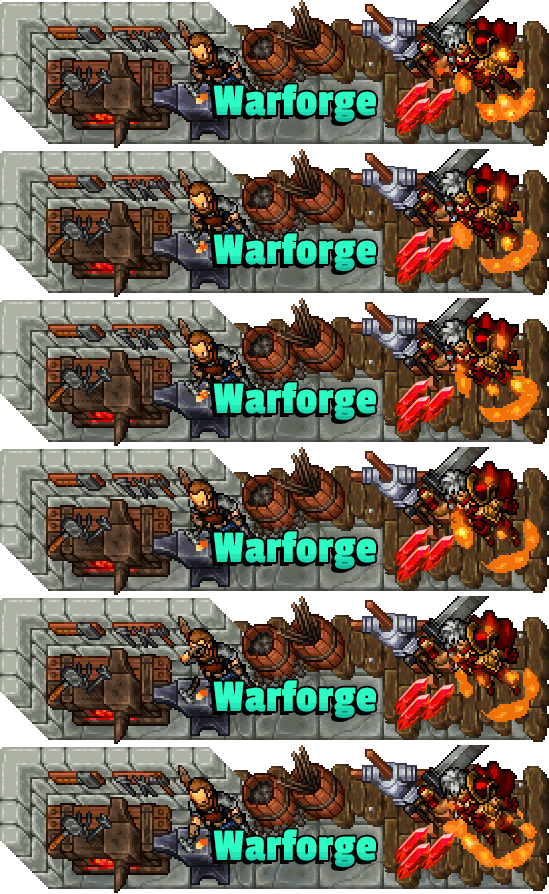
One of the largest equipment progression updates has arrived in RavenQuest!
This update significantly expands the Weapon Skills and Warforge systems, introducing new progression opportunities, stronger weapon identities, and a long-term path for players to continue investing in their favorite weapons long after obtaining them.
Warforged Skills
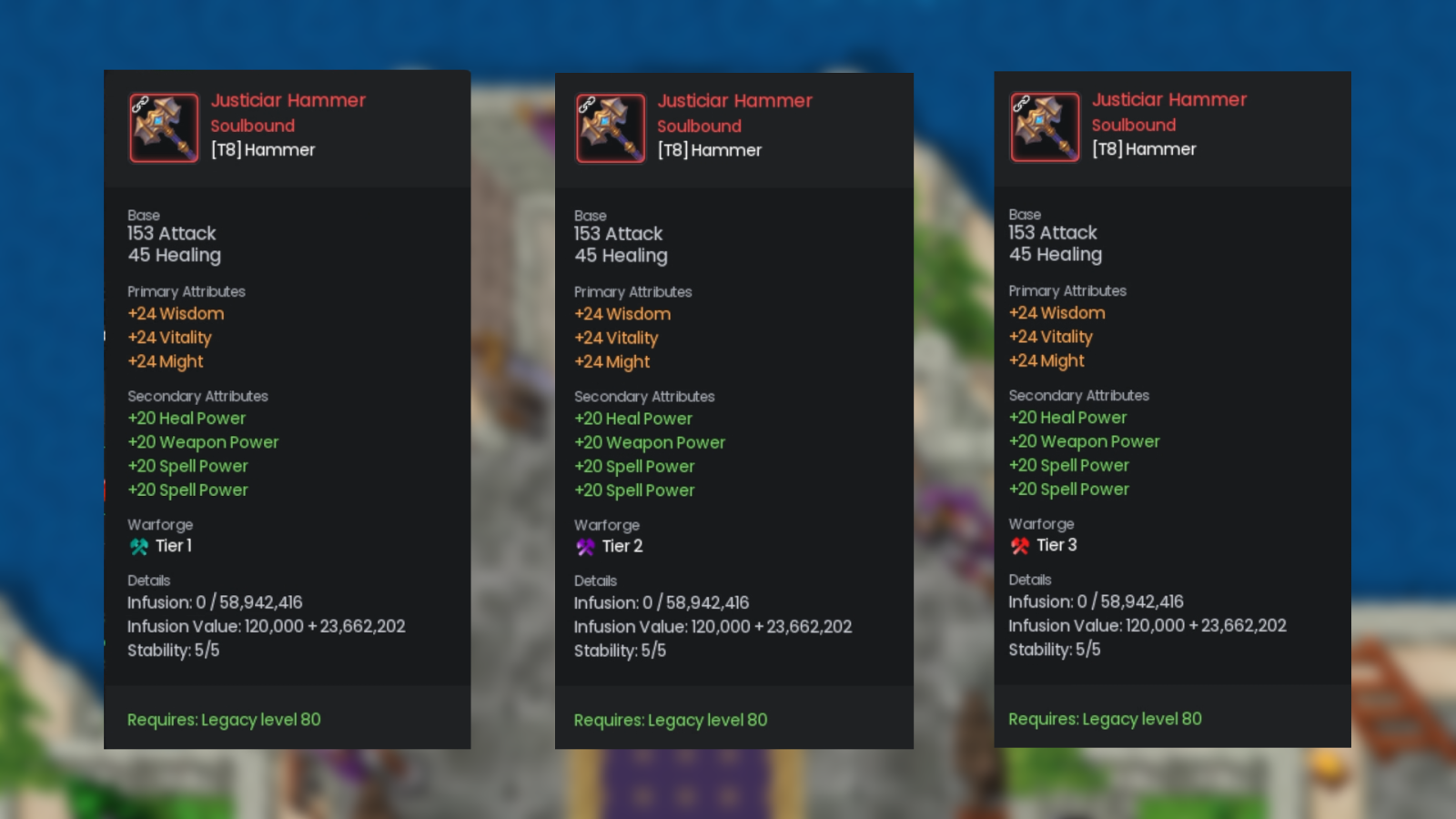
Until now, Warforged equipment represented the final step of weapon progression. With this update, every existing Warforged Weapon now starts at Tier 1 and can continue evolving through Tier 2 and Tier 3, unlocking increasingly powerful versions of its unique Warforged Skill.
This new progression not only gives Warforging Shards a much greater purpose, but also creates meaningful long-term goals for players looking to perfect their equipment.
With this update, every Warforged Weapon class has received improvements, with many skills gaining entirely new effects in addition to balance adjustments.
Forge Embers
As part of the new Warforged Skills Tier progression, a brand-new progression resource has been introduced: Forge Embers.
These powerful materials are now required to upgrade Warforged Weapons beyond Tier 1. While Warforging Shards and Silver remain part of the upgrade cost (mentioned below), players must now also obtain the appropriate Forge Ember to unlock higher Tiers.
Forge Embers are earned exclusively through the Tyrants System, creating a direct connection between RavenQuest's most challenging PvE encounters and the game's most powerful weapons.
Two types of Embers are available:
• Lesser Forge Ember — Required to upgrade a Warforged Weapon to Tier 2 and found in Sigils 4, 5, 6 and 7 (Tyrants).
• Greater Forge Ember — Required to upgrade a Warforged Weapon to Tier 3 and found in Sigils 8, 9 and 10 (Tyrants).
The higher the Sigil completed, the greater the chance of obtaining these rare materials, rewarding players who push into the highest Tyrant difficulties!
Upgrading Your Weapon
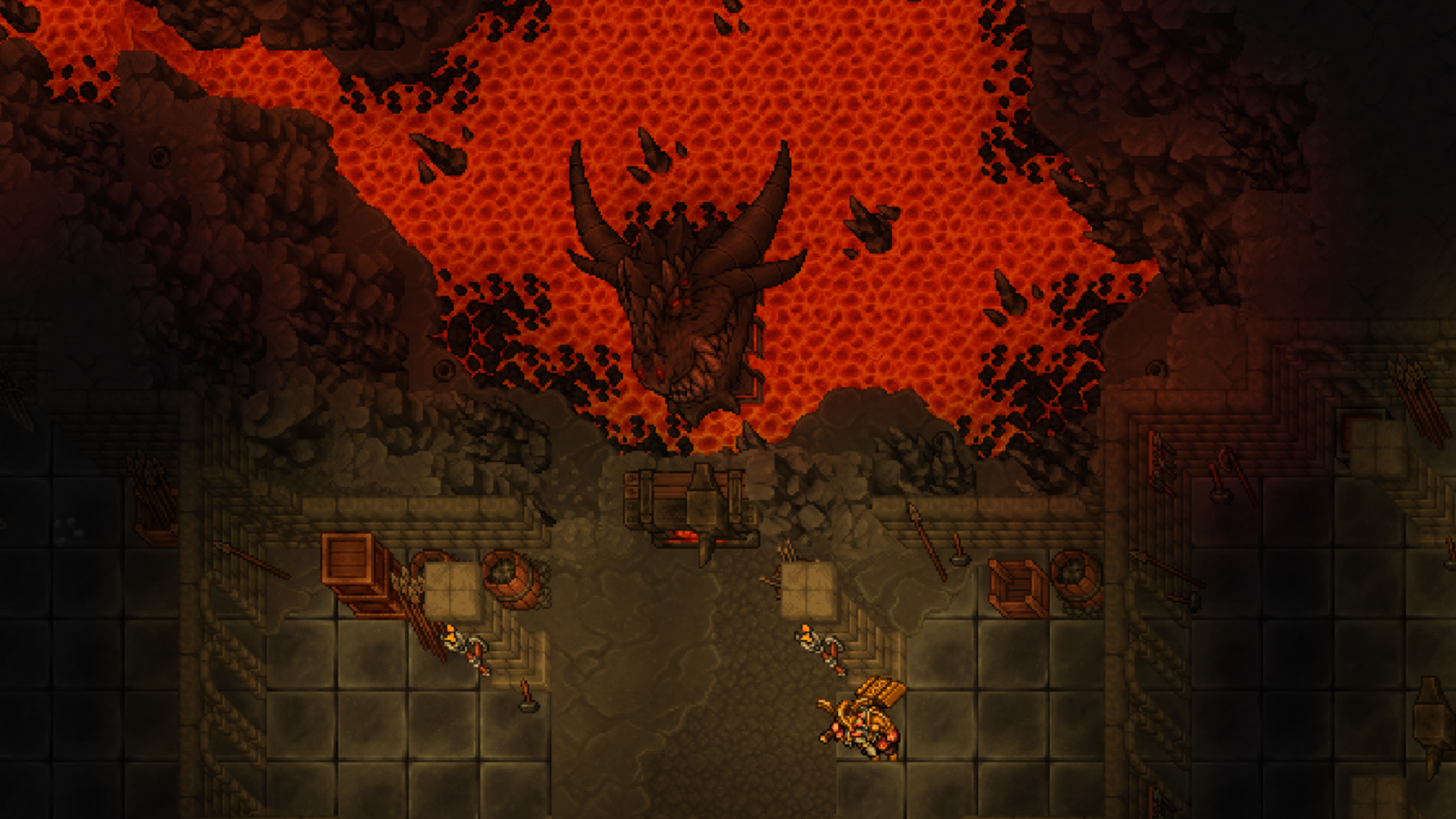
Once you have obtained the necessary Forge Embers, you can upgrade your Warforged Weapon by interacting with the Dragonforge.
Simply place a weapon that is already Warforged into the interface to increase its Tier and further empower its unique Warforged Skill:
• Tier 1 — 600 Warforging Shards / 12,000,000 Silver
• Tier 2 — 1 Lesser Forge Ember / 1,800 Warforging Shards / 36,000,000 Silver
• Tier 3 — 1 Greater Forge Ember / 5,400 Warforging Shards / 108,000,000 Silver
Note: Warforged Armor pieces (Helmet, Chest, Legs, and Boots) currently remain capped at Tier 1 and cannot yet be upgraded further.
Balance Changes — Weapon & Warforged Skills
Weapon Skill Changes
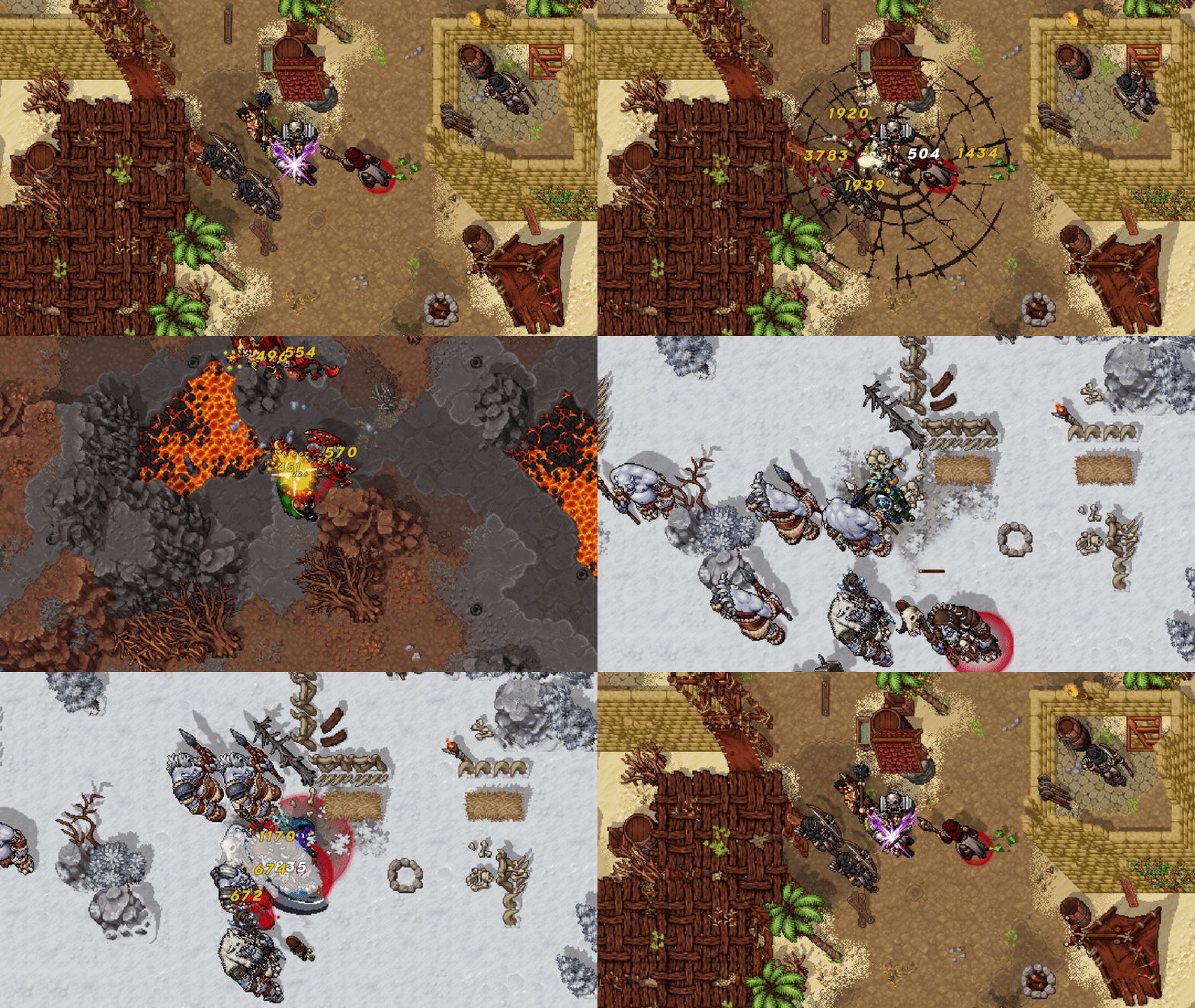
Several Weapon Skills have been reworked to reinforce each weapon's identity, improve gameplay flow, and provide healthier balance across combat styles.
Hammer (reworked)
• No longer deals 200% (Weapon Power) in a cone in front of you. Now deals 100% (Adaptive Power) in a 5x5 circle around you and slows enemies hit by 25% for 1.5 seconds.
Blunderbuss (reworked)
• The smoke shot is gone. Now fires a shotgun shell dealing 150% (Weapon Power) weapon damage in a medium area in front of you (up from 115% Adaptive in a small area). The 25% Movement Speed bonus has been removed.
Greatsword (reworked)
• Power Surge now ramps instead of granting a flat buff: for 6 seconds you gain 3% skill and basic attack damage every second, stacking up to 6 times (stacks fall off 3 seconds after). Each stack increases damage you receive by 0.8%. (Previously: flat 12% damage for 8 seconds at the cost of 5% increased damage taken.)
Club
• Mace Toss now deals 150% (Adaptive Power) instead of 150% (Weapon Power). The 25% slow for 4 seconds is unchanged.
Axe
• Rending Throw's direct damage increased from 50% to 80% (Weapon Power). The 20% slow has been removed. The Bleed (40% Weapon Power every 2 seconds for 8 seconds) is unchanged.
Sceptre
• Magic Ward's shield reduced from 250% to 150% (Healing Power), and its duration from 6 to 5 seconds.
Sword
• Blade Warding's shield reduced from 300% to 200% (Defense Power). The 20% reduction to movement-impairing effect durations is unchanged.
Note: Dagger, Bow, Pistol, Greataxe, Staff, Light Blade, and Bracer Weapon Skills remain unchanged.
Warforged Skill Changes
Every Warforged Weapon has received improvements, with many skills gaining entirely new effects in addition to balance adjustments. Values shown as {X / Y / Z} correspond to Warforged Tier 1 / Tier 2 / Tier 3.
Hammer (reworked)
• Blessed Earth has been removed. Instead, after the initial slam, the Hammer strikes the ground a second time in a 7x7 area, pulling enemies toward you and dealing {150% / 225% / 300%} (Adaptive Power) damage.
Blunderbuss (reworked)
• Now fires two consecutive shots. The first is the standard shotgun shell (150% Weapon Power), followed a second later by a heavy live round covering a wider area, dealing {75% / 100% / 150%} (Weapon Power) weapon damage and applying a burn of 50% (Weapon Power) weapon damage every second for 2 seconds. The Snare from the previous version has been removed.
Greatsword
• Still pulls the selected target up to 5 tiles toward you. The damage-taken penalty per stack is now reduced by tier to {0.8% / 0.4% / 0.2%}, and you now gain cleave on your basic attacks for 6 seconds.
Club (reworked)
• Still hits a small area around the target, but the increased slow has been replaced: damage is now {150% / 250% / 350%} (Adaptive Power) and affected targets are stunned for 2 seconds.
Axe (reworked)
• No longer ricochets to additional targets. Direct damage is now {100% / 150% / 200%} (Weapon Power), and after the throw you dash to the target and Snare it for 2.5 seconds.
Sceptre (reworked)
• No longer heals when the barrier expires. Instead, the shielded target gains {3% / 4% / 6%} flat damage reduction while the shield holds (lost if the shield is broken). This effect is doubled when cast on other players.
Dagger (reworked)
• The stacking healing reduction has been removed. While empowered, you now deal {150% / 175% / 225%} (Adaptive Damage) and Silence your adjacent opponent for {1 / 2 / 3} seconds.
Bow (reworked)
• The extra arrow on each attack has been replaced: your basic attacks now deal an additional {15% / 25% / 40%} (Adaptive Power) for 8 seconds, and you fire an arrow dealing 120% (Adaptive Damage) that moves you and your target 2 tiles apart in opposite directions.
Pistol (reworked)
• Critical hits no longer reduce the target's Weapon Defense. Instead, for 8 seconds your critical hits make the target Vulnerable, increasing all damage they receive by 2% per stack, up to {5 / 6 / 7} stacks. New stacks refresh the duration.
Greataxe
• Whirl Slash's self-heal reduced from 50% to {20% / 30% / 40%} of damage dealt. Its damage now scales at {200% / 225% / 250%} (Weapon Power), previously a flat 220%.
Sword
• The burst when Blade Warding's shield expires now scales by tier: {250% / 275% / 300%} (Defense Power), previously a flat 250%.
Staff
• Rune of Power's buff now stacks up to {2 / 3 / 4} times by tier, instead of a flat 3.
Light Blade
• Damage reduction per cleansed effect now scales at {5% / 6% / 7%} per effect, up to a maximum of {15% / 18% / 21%}.
Bracer
• The empowered punch's bonus damage now scales at {60% / 90% / 130%} spell damage, previously a flat 60%. The damage over time and 1-second Fear are unchanged.
Legendary Rings
Legendary Rings now receive their own enhancement system!
Introducing Ring Warforging Scrolls: powerful consumables that temporarily empower your equipped Legendary Rings, giving players another way to prepare for RavenQuest's toughest encounters.
Each scroll costs 50 Warforging Shards and can be purchased from Runesmith Rundar, located near the Dragonforge.
When used, the stats of both equipped Legendary Rings (if applicable) are increased by 20% for 1 hour.
To support the system:
• Added a dedicated Buff category to Ring tooltips.
• Active Ring Warforging effects are now displayed directly on the item tooltip.
• The active enhancement is also shown in the Buff UI while the effect remains active.
This update addresses one of the community's longest-standing requests: providing more meaningful ways to continue improving existing equipment instead of constantly replacing it. Your favorite weapon can now grow alongside your character, becoming stronger as you conquer RavenQuest's greatest challenges.

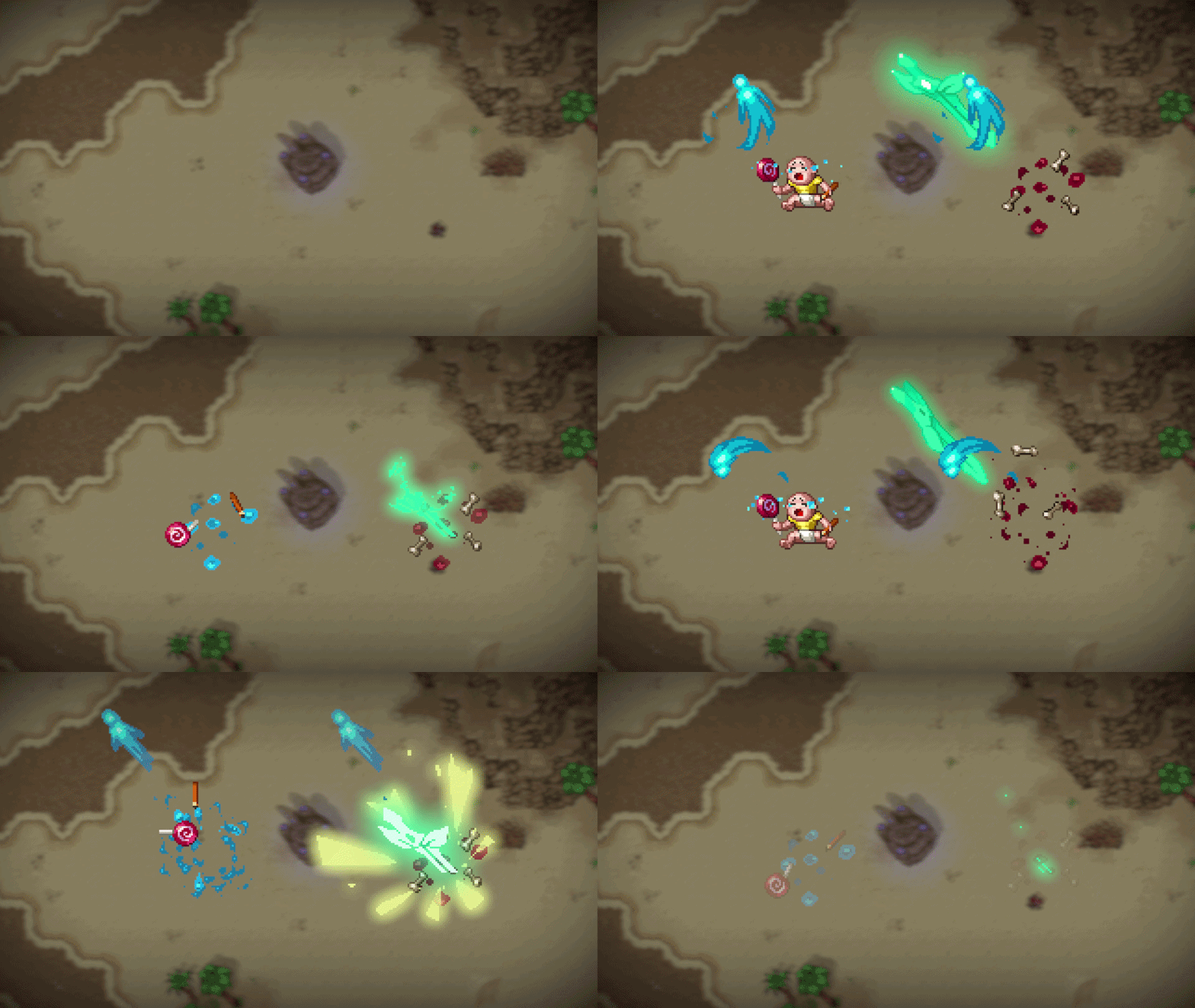
New Cosmetics
• Added two new Kill Animations to the Store (Character Customization window): Cry Baby and RQ Sword, both available for purchase.
Open World Gathering
Open World Gathering has become a more rewarding way to progress your character!
To better support players who enjoy gathering professions as part of their journey, Legacy and Archetype Experience earned from Woodcutting, Herbalism, Mining, and Fishing (Open World activities) now scales with your Legacy Level. This means the further you progress, the more rewarding these activities become, allowing Gathering to remain a valuable source of Experience throughout your adventure.
The new progression works as follows:
• Levels 1–75 ー +1% bonus Legacy & Archetype Experience per Legacy Level
• Levels 76–90 ー +2% bonus Legacy & Archetype Experience per Legacy Level
• Levels 91+ ー +3% bonus Legacy & Archetype Experience per Legacy Level
Whether you are gathering resources to craft, earn silver, or simply enjoy exploring the world, your efforts will now contribute more meaningfully to your long-term progression.
Monoliths
• [🤝] Added a new Monolith location in Hadarak, helping revitalize PvP activity in the region while expanding opportunities for competitive Open World PvP.
Death Debt
• Updated the Death Debt system threshold so that it now begins at Legacy Level 30 instead of Legacy Level 20.
• Added a status condition that indicates when a player has reached the Unpayable Death Debt threshold, improving visibility of this existing mechanic without changing its current behavior.
Rangers Company
Updated several Rangers Company tasks to reflect the region changes introduced in Update 1.3.1. With part of South Glademire becoming Hadarak Desert, the following tasks have been updated to use the new region so they continue functioning correctly:
• Bears (30–37) ー South Glademire → Hadarak Desert
• Elderwoods (18–28) ー South Glademire → Hadarak Desert
• Elderwoods (84–95) ー South Glademire → Hadarak Desert
To prevent any issues for players currently progressing through these objectives, all active instances of these three tasks have been reset.
Quality of Life
• [🤝] Added the ability to lock and unlock equipment by pressing Alt + Right Click, preventing locked items from being infused, sold, traded, or otherwise used by mistake. Locked equipment is now displayed with a visual frame in the Inventory and Bank for easier identification. This function is available for Amulets, Rings, Trinkets, Combat & Crafting Equipment (Helmets, Armor, Legs, Boots), and Combat & Crafting Weapons.
• [🤝] The maximum stack size for items in the Inventory has been increased from 1,000 to 10,000. This is intended to improve inventory management by reducing the number of stacks required for commonly stored items.
• [🤝] Added a visual indicator for Gemstone Tiers when applied to equipment, now displaying the Tier before the associated item buff.
• [🤝] Adventurers can now use $QUEST to pay the entry fee for both Regular and Legendary Expeditions.
• [🤝] Added a visual indicator for the 25% Double Materials Regional Buff to make it clearer when the effect activates. Now, whenever the bonus activates, a visual notification will appear on the screen.
• [🤝] Instantly completed Marketplace orders will now appear in the Marketplace History. Previously, when an order was immediately fulfilled upon placement, the transaction would not be recorded in the history. Instead, players relied solely on a system message for confirmation. These transactions are now displayed alongside all other Marketplace activity, making it easier to track completed orders and reducing confusion regarding missing resources.
Infusion
Due to an increasing number of player reports regarding accidental item loss while using the Infusion interface, we are introducing a few UI improvements aimed at reducing user error and improving clarity when selecting equipment consumption options. Here’s what was updated:
• [🤝] Opening the Infusion menu (U) will now always default to Keep Equipment, ensuring the safest option is selected by default.
• Selecting Consume Equipment will now highlight the option in red, replacing the previous teal/green indicator to provide a clearer visual warning.
• The confirmation window will now display its warning text in red whenever Consume Equipment is selected, reinforcing the potential consequences before confirming the action.
Miscellaneous
• Added a balance check for the Tyrants boss UI upon confirming a revive to prevent failed group entries due to insufficient Silver or $QUEST. If the player does not have enough currency for the selected payment option, a red system message is displayed and the revive window remains open, allowing the player to choose a different payment method and try again.
• The exclusive Lucky Wheel Milestone Custom Moa Cosmetic has been delivered to all players who have achieved the 5,000 Spins Milestone, along with each of their invited friends.
• Updated the website Leaderboard to correctly account for Renown bonuses granted by Relics and Community Stars.
• Updated the Munk Luck tooltip in the Lucky Wheel interface. The tooltip has been revised and now provides a clearer explanation of the feature.

• Fixed an issue in the PT-BR localization where the Expand Inventory message incorrectly stated that additional inventory slots required RavenCoins.
• Marketplace trophy categories now correctly display price history information, resolving an issue where the history section could remain stuck on “Loading History” indefinitely in certain categories.
Tell us what you think about the Embers of Dragonforge Update: Join the discussion in our Tavern on Discord and share your thoughts!